Your runs, health data and plans live on your phone — and they stay yours.
01 — Why I built it
I wanted a plan that survives contact with a real week.
I'm a runner, not a sports scientist. Somewhere around the fifth
training block I stopped finding answers — the plan said 16 km, and
the plan was wrong. I'd had a bad night of sleep, a long week at
work, rain all morning, and legs that had nothing left in them.
Spreadsheet templates assume those things aren't happening. They
build a beautiful block and then ask you to follow it anyway, and
when you can't, you feel like you've failed the plan rather than
learned something about your own body.
So I built OwnRun for myself: set where I actually am, point it at a
race, and let it put the weeks together. When the week turns
difficult it moves the session instead of me moving the plan. The
goal was always the same — reach the start line healthy enough to
race the way I'd trained.
It also has to be private.
Training and health data is the most personal data you own, so
OwnRun keeps it in local storage on your device instead of on an
account somewhere else.
Plans that start from a template, not from youA generic 16-week block doesn't know your current 10 km, or that you've run two marathons already this year.
Weather your plan never checked32°C and humidity on a threshold day is a different session from 12°C and a tailwind.
Sessions that ignore how you feelFatigue, a sore calf, a stressful week at work — the plan should know, and should respond.
Tools scattered across three apps and a spreadsheetPace bands, heart-rate zones and pace conversion should be one tap away, not another subscription.
02 — What it does
A plan for one race, that changes with the week.
OwnRun is built around two jobs — putting the weeks together, and
taking them apart again when the conditions move.
01
Start from where you actually are
Enter your current ability — a recent distance and time is enough —
and the race you're building toward, with its date. OwnRun works out
the weeks in between instead of handing you a block written for
somebody else.
The plan is yours from the first day, with every session laid out:
what it is, how long, and which effort it should feel like.
02
Change the week, not the goal
Before a session, tell OwnRun how you are and it adjusts the day
around what you reported — shifting, scaling or swapping the workout
rather than leaving you to decide at the kerb.
It reads your recent training load too, so a hard week is followed by
an easier one, and it takes weather and road conditions into account
when that changes what is sensible to run.
And the tools you reach for every week
Pace bandsGenerated for your fitness, updated as it moves.
Heart-rate zonesZone targets for each session, live while you run.
Pace conversionmin/km to min/mi, race to tempo, back again.
Form analysisReview your running form after the session.
Daily trackingEvery session logged and followed through.
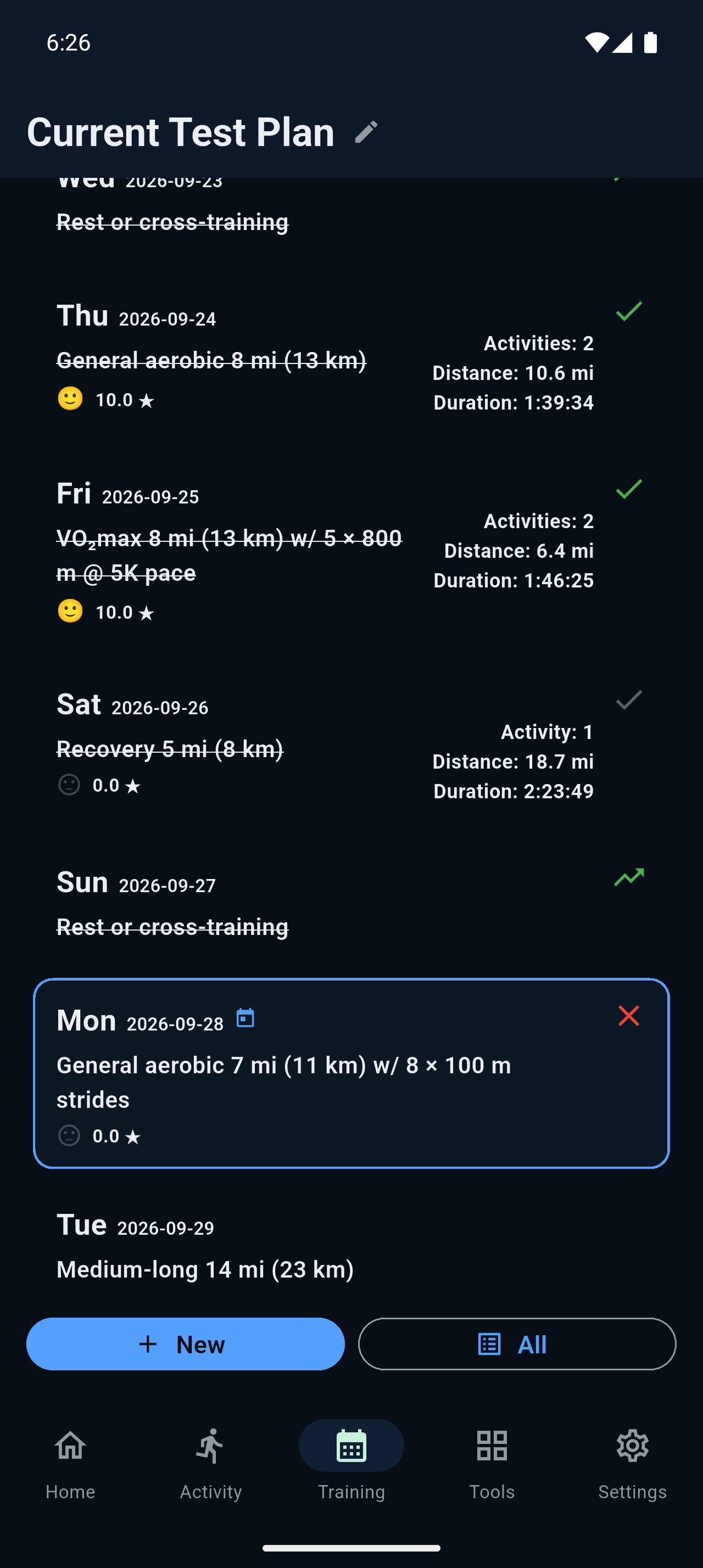
Screenshot 01Training plan 390 × 844
Your plan, week by week.
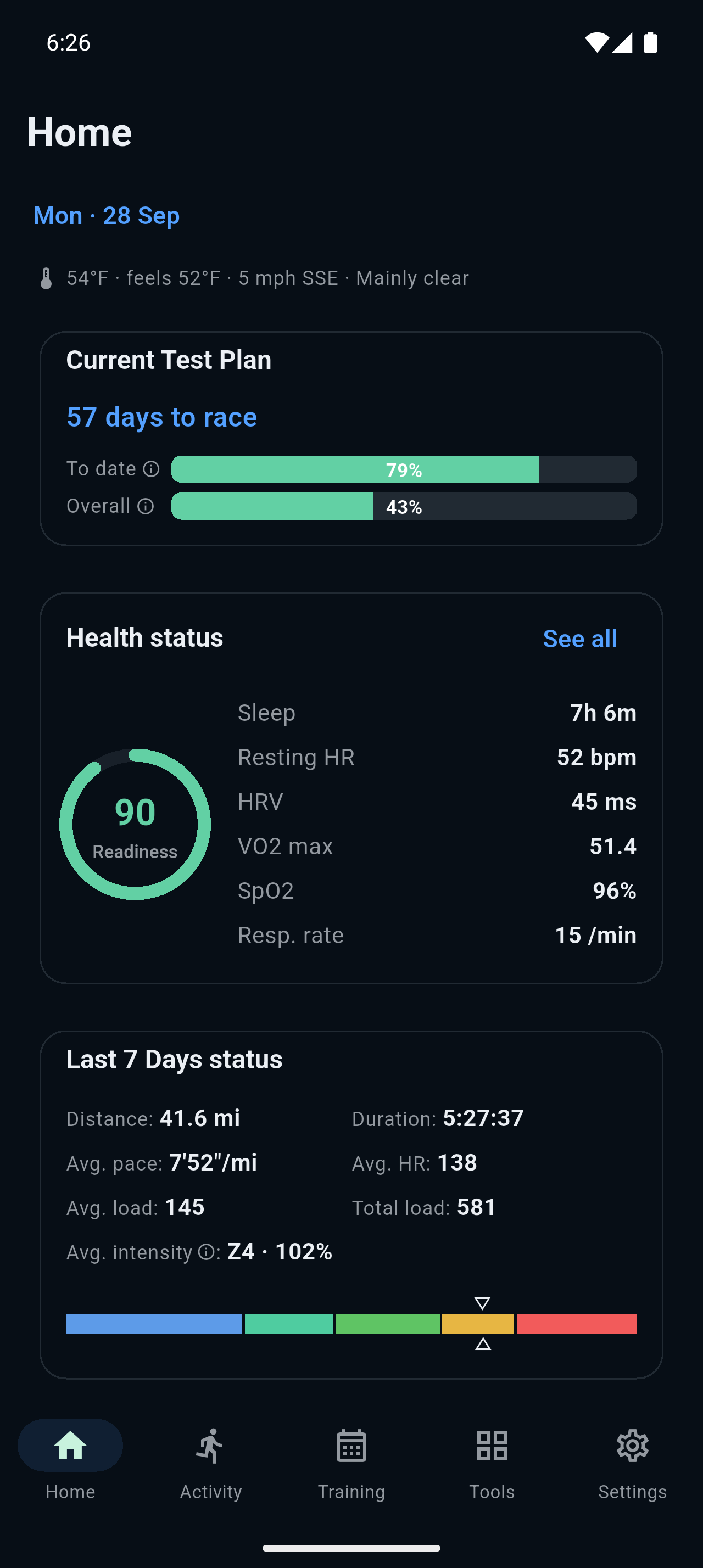
Screenshot 02Today 390 × 844
The session for the day, adjusted.
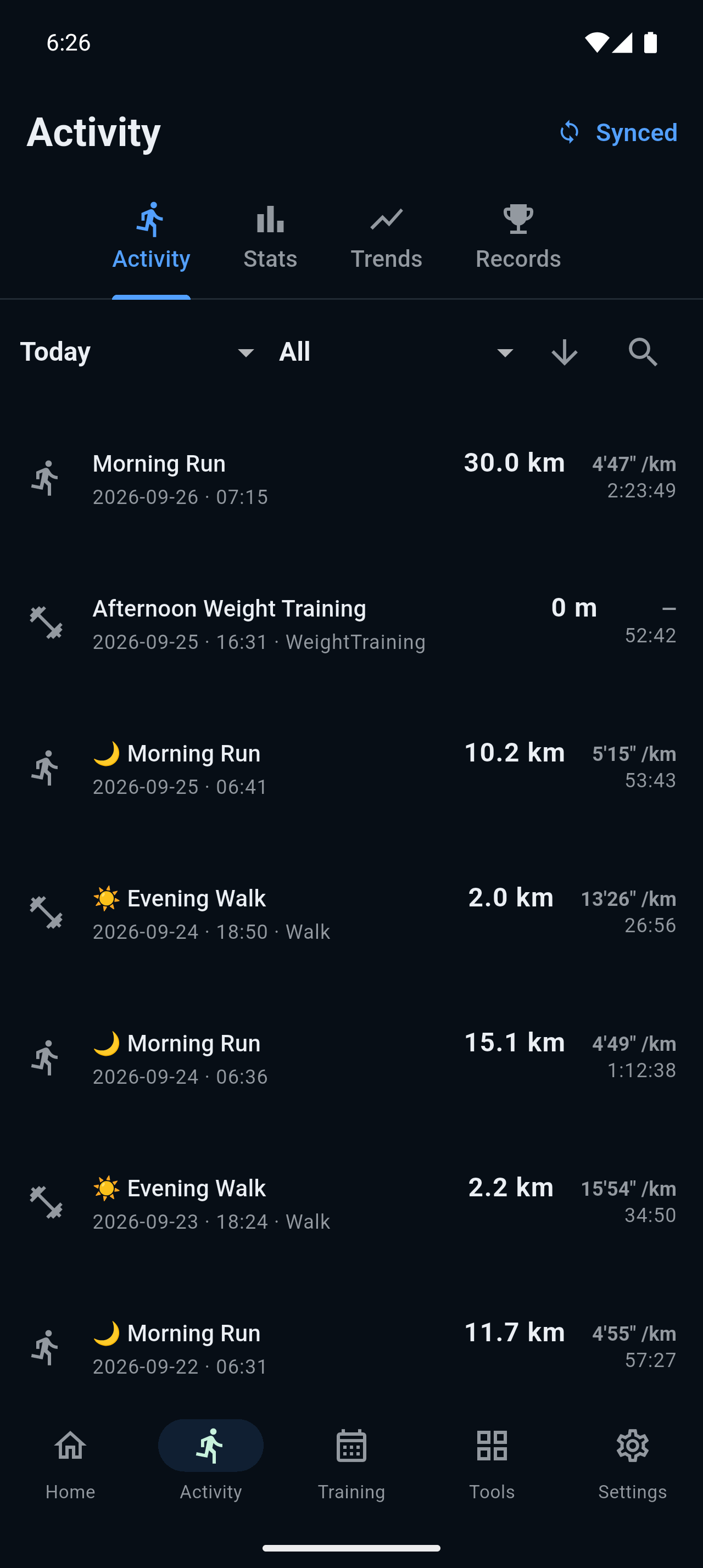
Screenshot 03Activity 390 × 844
Heart rate and pace across your runs.
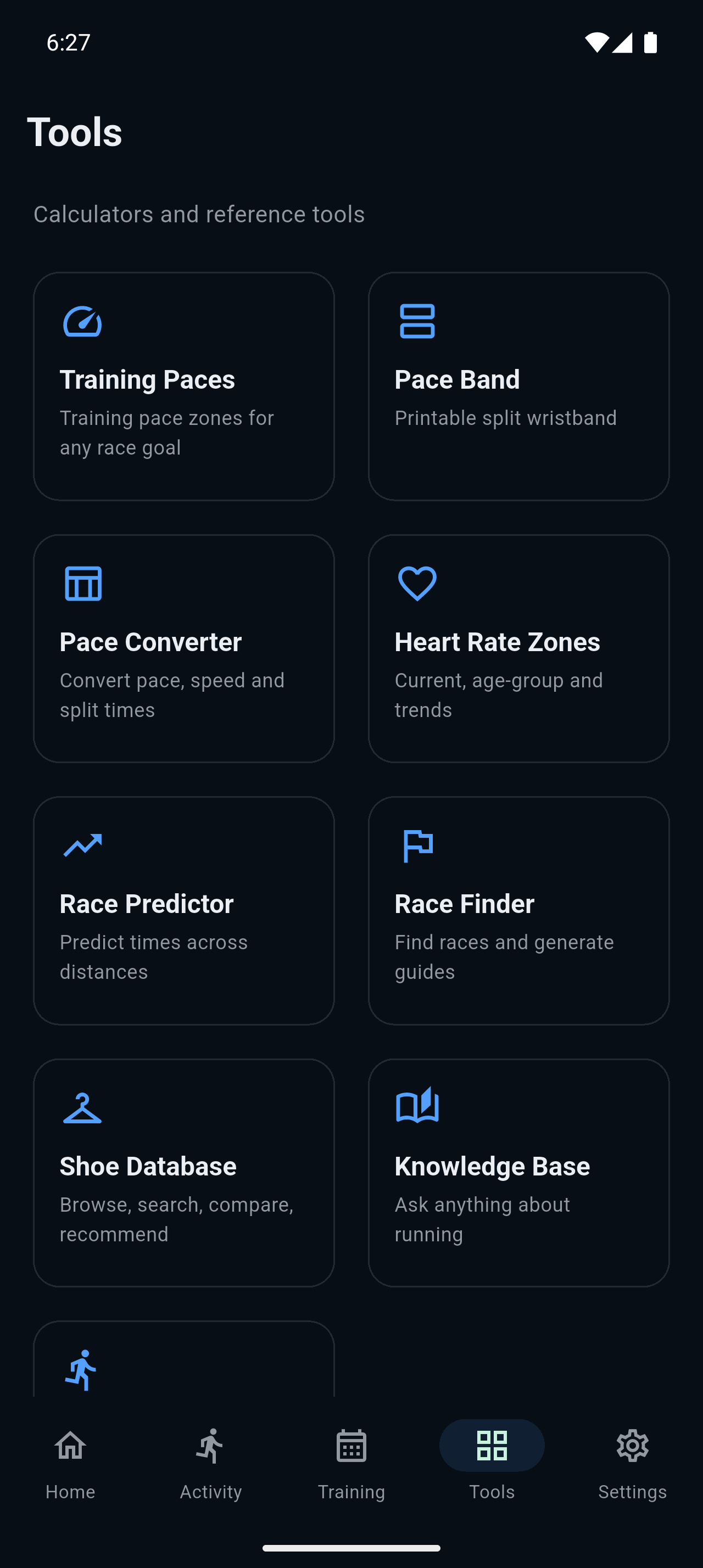
Screenshot 04Tools 390 × 844
Pace bands, zones and conversion.
03 — Privacy
Own your run. Own your data.
OwnRun works out your plan on the phone. The data behind it — every
run, every track, every reading — stays on the phone too.
What that means in practice
On your phone, not our serversRuns, GPS tracks, heart rate and training plans live in local storage.
No social layer at allNo feed, no friends list, no leaderboard, no profile of you.
Weather, not your exact addressForecast coordinates are rounded to roughly a kilometre.
Strava, one way and optionalActivities are read in, never written back. Disconnect any time.
Worth being precise about. Weather lookups send coordinates rounded
to about a kilometre and a date, with no account identifier attached, and
the Strava connection only ever reads. The one thing that does live on our
side is an account, so your subscription and your devices can be tied to
you: a random ID and the shape of the plan you create, never your runs,
routes or health readings. Sign in with Google or Apple and an email
address is attached to it. You can delete the account from Settings at
any time.
04 — Pricing
Free to use. Nine ninety-nine a year to remove the ads.
OwnRun is paid for by its users rather than by selling your training
history. Both options get the same plan builder and the same tools.
Free
$0forever
The whole app, with a small number of ads. They're kept out of the
sessions that matter and they're what keeps OwnRun running.
Full plan builder, tuned to one race
Adaptive sessions — body, training, weather, road
Daily tracking and progress review
Pace bands, heart-rate zones, pace conversion, form